Problem
Producing short videos regularly takes time: writing, finding a background, narrating or subtitling, and editing each video by hand.
technical case study
Automation • Short videos / Pipeline
A Python pipeline that turns scripts into vertical short videos, with burned-in subtitles, a random background and batch generation. There are two versions: one using AI APIs and one using only ffmpeg.
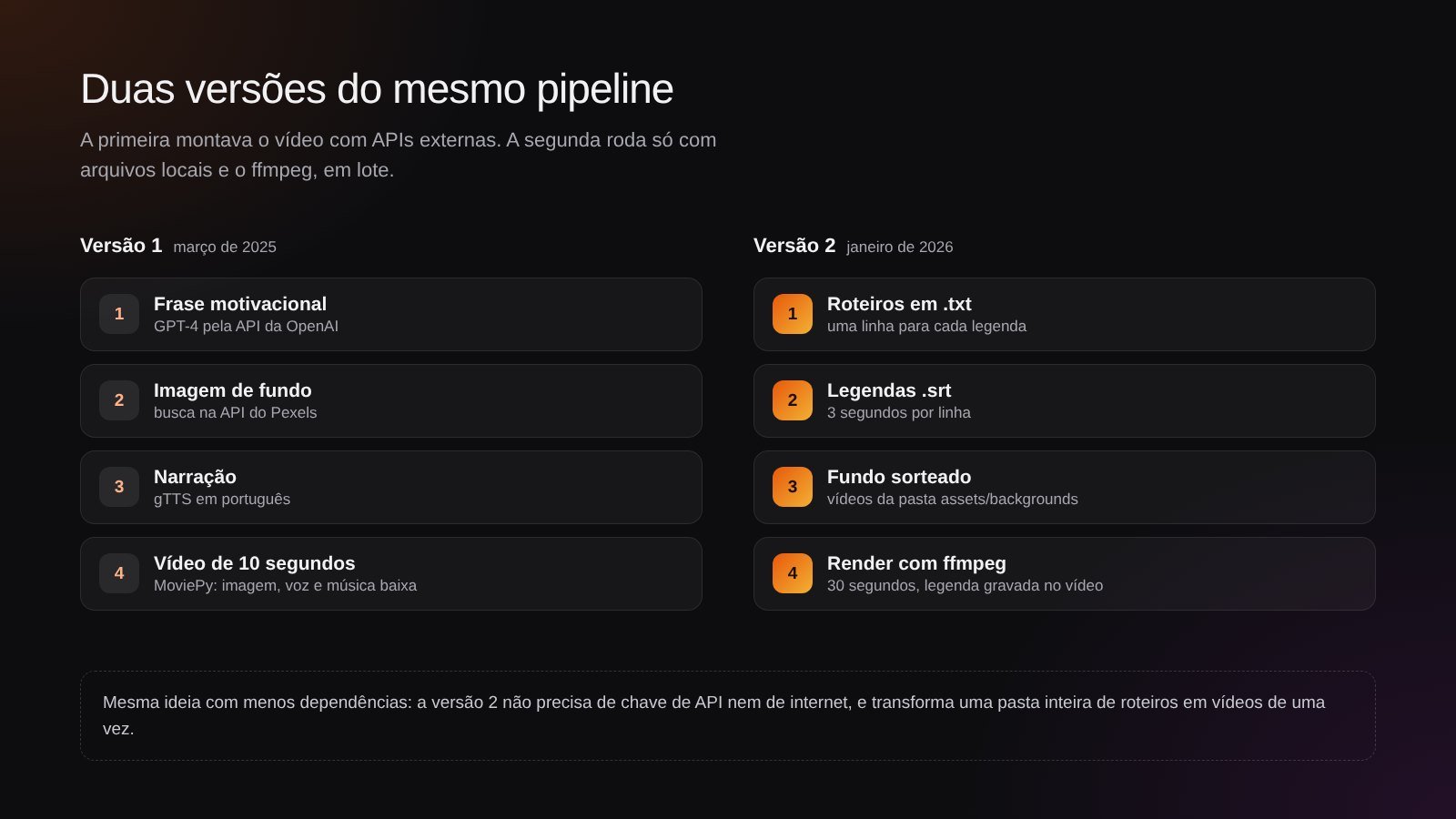
Both versions side by side: the first relied on three external services; the second runs only on local files and ffmpeg.
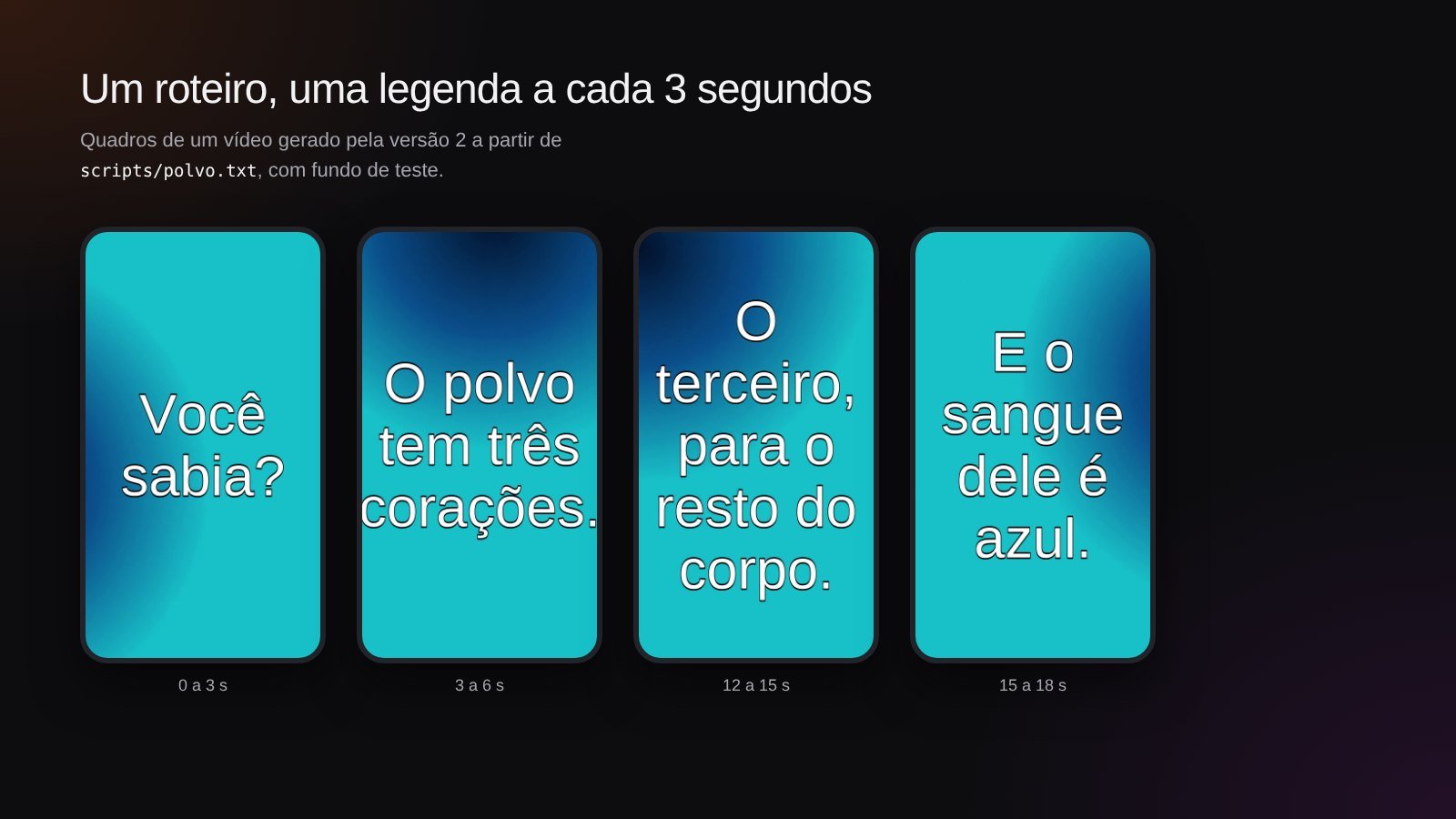
Frames from a video generated by version 2: each line of the script becomes a 3-second subtitle over the background (test background).
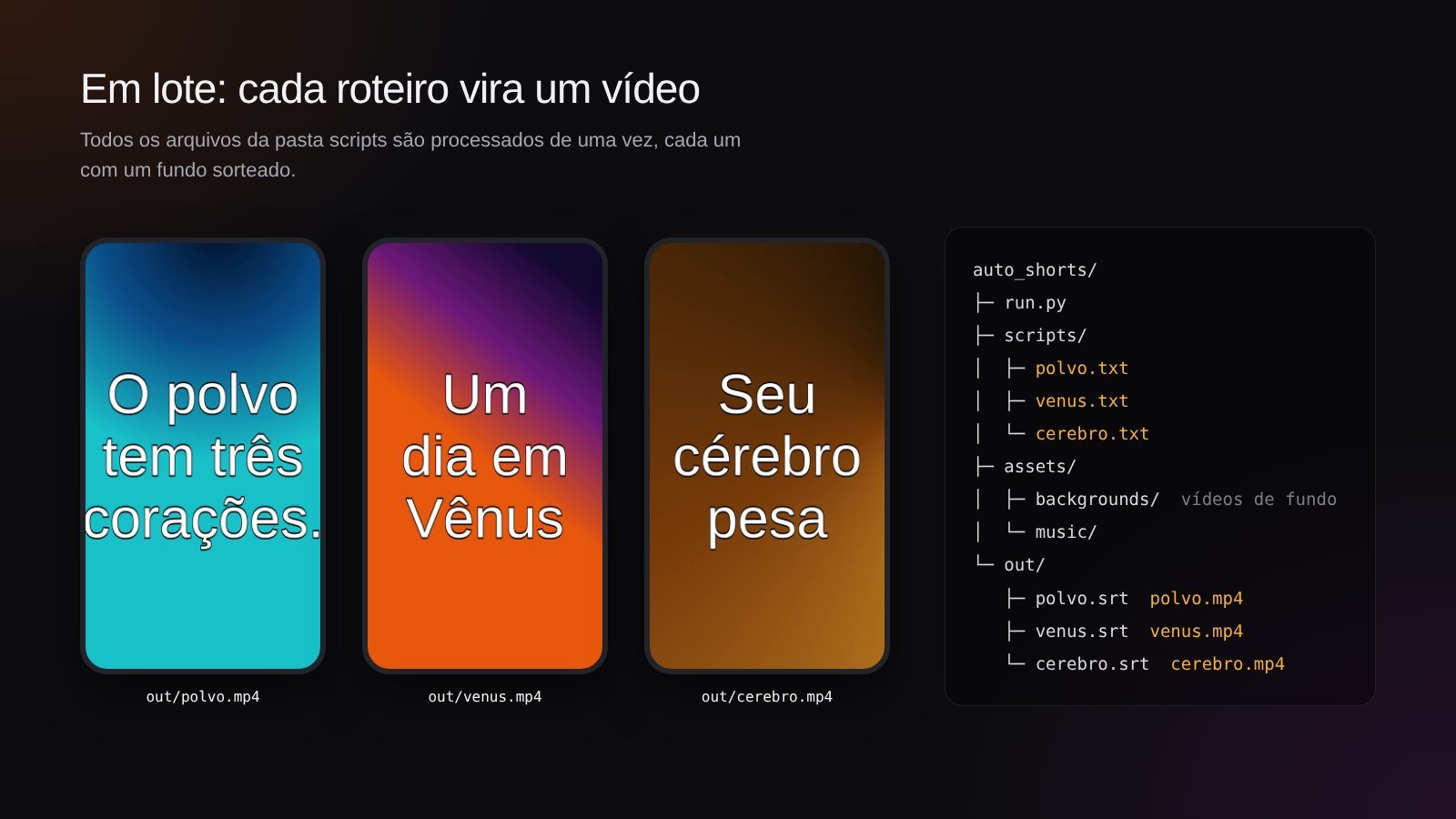
Batch generation: each .txt in the scripts folder becomes an .srt and an .mp4 in the out folder.
Producing short videos regularly takes time: writing, finding a background, narrating or subtitling, and editing each video by hand.
A script that puts these steps into a single flow. Version 1 generated the text with AI, fetched the image and narrated it; version 2 reads ready-made scripts and renders all of them at once, with subtitles.
From version 1 to version 2, the pipeline stopped depending on paid APIs and the internet and started generating videos in batches, one per script.
Working prototype. Next steps: subtitles sized and padded for vertical screens, background music and a fixed 1080 × 1920 format.
The first version, from March 2025, was an end-to-end experiment: it asked GPT-4 for a motivational quote, fetched a nature image from Pexels, generated the narration with gTTS and assembled a 10-second video with MoviePy. The second, from January 2026, changed the approach: the scripts are written beforehand, in text files, and the code only handles the repetitive part, subtitling and rendering each one with ffmpeg.
No interface: the output is the video itself. In version 2, subtitles are burned into the image, centered, in Arial 42.
Version 1: Python calling OpenAI, Pexels, gTTS and MoviePy in sequence. Version 2: Python generates an .srt for each script and calls ffmpeg to loop the background, apply the subtitles and cut the video at 30 seconds.
No database: scripts in scripts/, backgrounds and music in assets/ and finished videos in out/.
In version 1, the API keys lived in the script itself. Version 2 needs no keys at all; if a future version uses APIs again, they go into environment variables.
Version 2 runs entirely on the machine, without sending the scripts to external services.
The pipeline only handles script text and background media; no user data is collected.
March 2025: a quote from GPT-4, an image from Pexels, a voice from gTTS and a video from MoviePy.
Dependence on paid APIs, a still image and a single video per run.
January 2026: scripts in .txt, .srt subtitles and ffmpeg rendering for the whole folder.
A fixed vertical format, subtitles fitted to the screen and a background track.
def text_to_srt(text, path):
    lines = text.strip().split("\n")
    with open(path, "w", encoding="utf-8") as f:
        t = 0
        for i, line in enumerate(lines, 1):
            start = f"00:00:{t:02},000"
            end = f"00:00:{t+3:02},000"
            f.write(f"{i}\n{start} --> {end}\n{line}\n\n")
t += 3def generate_video(script_path):
name = script_path.stem
with open(script_path, encoding="utf-8") as f:
text = f.read()
bg = random.choice(list(BACKGROUNDS.glob("*.mp4")))
temp_srt = OUT / f"{name}.srt"
output = OUT / f"{name}.mp4"
text_to_srt(text, temp_srt)
cmd = [
"ffmpeg", "-y",
"-stream_loop", "-1",
"-i", str(bg),
"-vf", f"subtitles={temp_srt}:force_style='FontName=Arial,FontSize=42,Alignment=10'",
"-t", "30",
"-pix_fmt", "yuv420p",
str(output)
]
subprocess.run(cmd, shell=True)# 3. Gerar áudio do texto
speech = gTTS(text=texto_motivacional, lang="pt")
audio_path = "audio.mp3"
speech.save(audio_path)
# Converter para WAV para evitar erros no MoviePy
os.system("ffmpeg -i audio.mp3 audio_converted.wav")
narration = mp.AudioFileClip("audio_converted.wav")
# 4. Criar vídeo
background = mp.ImageClip(image_path).set_duration(10) # Duração de 10 segundos
music = mp.AudioFileClip(MUSIC_PATH).set_duration(10).volumex(0.3) # Música mais baixa
final_audio = mp.CompositeAudioClip([narration.set_duration(10), music.set_duration(10)])
video = background.set_audio(final_audio)
video_path = "video_motivacional.mp4"
video.write_videofile(video_path, fps=24)Version 2 turns a folder of scripts into finished videos with one command, with no API costs.
Separating the creative part (the script) from the repetitive part (subtitling and rendering) made the pipeline simpler, cheaper and more predictable than generating everything with AI.